Are you a passionate gamer looking to share your epic moments, insightful reviews, or hilarious fails with the world on YouTube? This comprehensive guide dives deep into how to create gaming videos for YouTube in 2026, offering practical, actionable advice for busy adults balancing gaming with life's other demands. We'll cover everything from essential gear and software to content strategies that resonate with today's audience, tackling common pain points like performance issues, budget constraints, and finding time. Discover how to transform your gameplay into compelling stories, optimize your channel for growth, and connect with a community that shares your love for gaming. Learn the best practices for capturing high-quality footage, editing with efficiency, and understanding YouTube's ever-evolving algorithm. Whether you're a seasoned player or new to content creation, this resource will empower you to level up your YouTube presence and make your mark in the vibrant gaming video landscape of 2026, ensuring your efforts translate into engaging content that stands out.
What's the absolute minimum I need to start making gaming videos for YouTube?
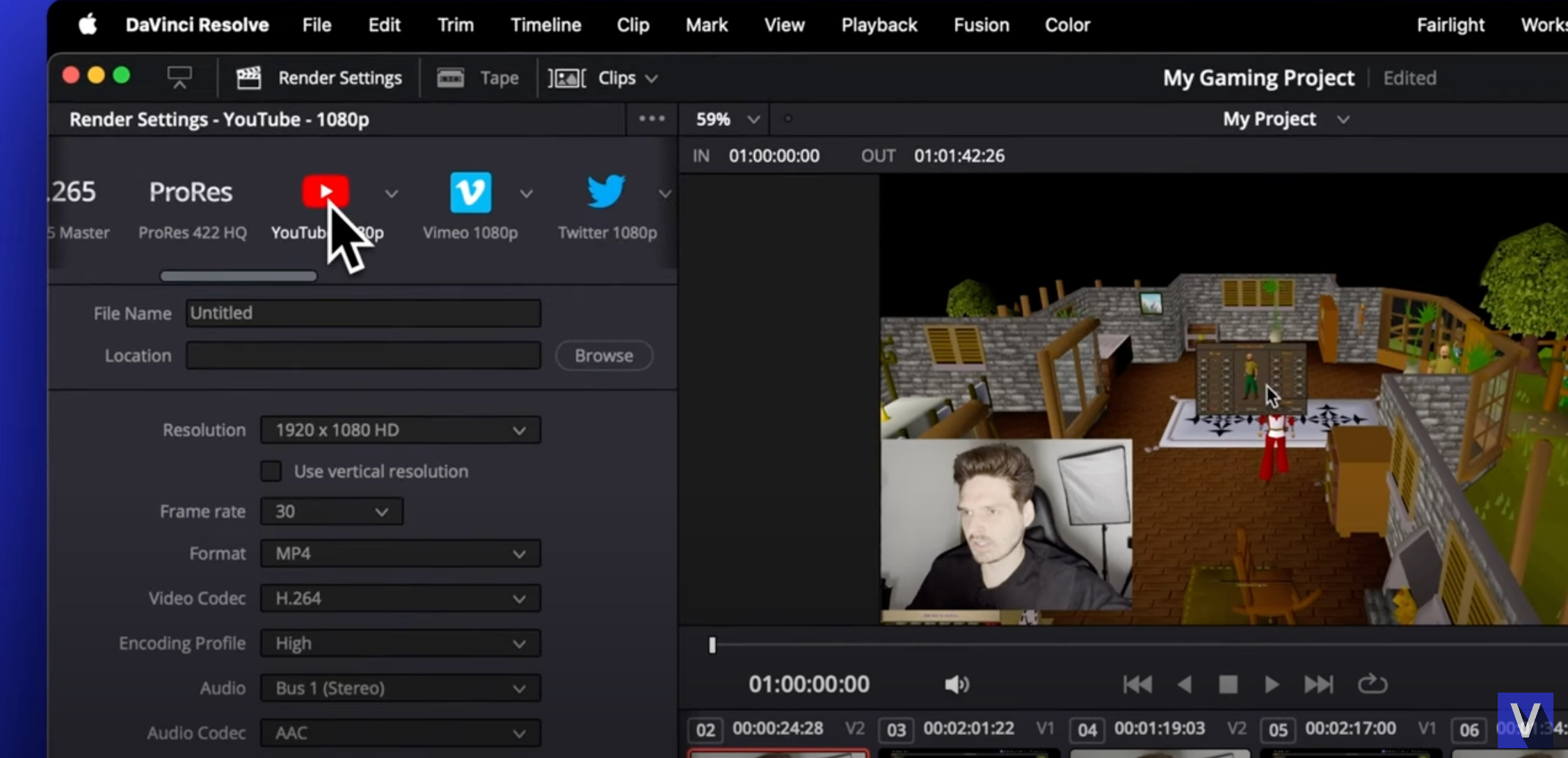
To begin making gaming videos, you minimally need a gaming device (PC, console, or mobile), a way to record your screen (OBS Studio for PC, built-in console features, or phone screen recorder), and basic editing software (like DaVinci Resolve Free). While a good microphone significantly enhances quality, you can start with what you have and upgrade later. Focus on clear audio and stable video, even if it's 720p at first.
How do I choose what games to make videos about to attract viewers?
Choose games you genuinely enjoy and are knowledgeable about, as your passion will shine through. Look for popular trending titles, but also consider niche games where you can stand out. Research what type of content (guides, reviews, funny moments, challenges) is performing well for those games. Consider games that resonate with busy gamers seeking quick fun or valuable tips, like popular free-to-play options or social multiplayer experiences trending this month.
What's the typical workflow for creating a gaming video from start to finish?
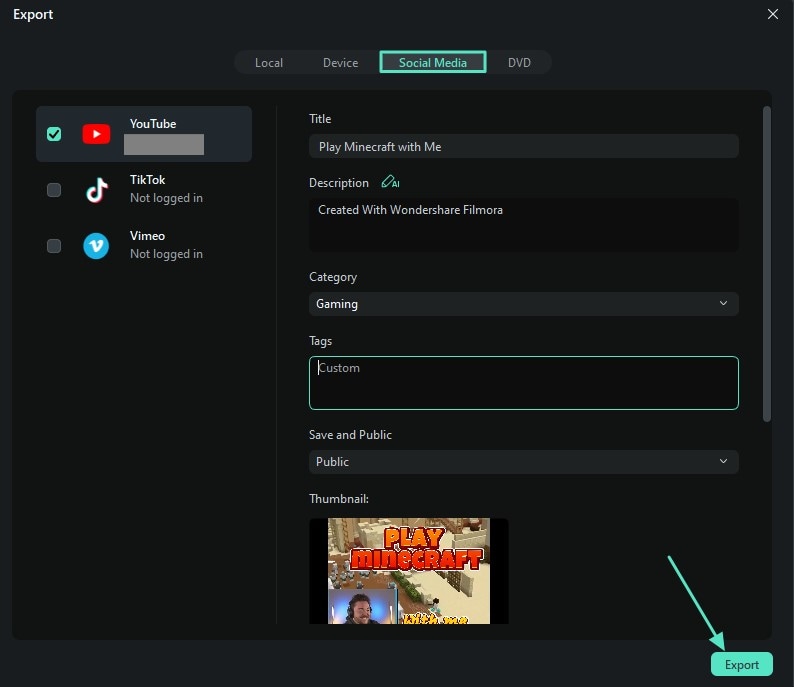
A typical workflow involves planning your video concept, recording your gameplay and audio, transferring footage to your editing computer, editing the video (cutting, adding music, graphics, voiceover), exporting the final file, writing an engaging title and description, and finally uploading to YouTube with relevant tags and a custom thumbnail. Streamlining each step, like batch editing or using templates, saves significant time.
How important is my audio quality for gaming videos on YouTube?
Audio quality is paramount; many viewers will tolerate less-than-perfect video if the audio is clear and engaging. Distorted, quiet, or muffled audio can quickly drive viewers away. Invest in a decent external microphone as soon as possible, learn basic audio editing (noise reduction, compression), and ensure your game audio and commentary are well-balanced. Clear communication is key to connecting with your audience.
Should I focus on live streaming or pre-recorded videos when starting?
Both have merits, but for starting, pre-recorded videos often offer more control over quality, editing, and content structure. This allows you to polish your content and learn the craft without the pressure of live performance. Once you're comfortable and have a small audience, you can incorporate live streaming to foster real-time community engagement and create content for VODs (video on demand) or highlights.
How can I keep my gaming videos engaging for viewers with short attention spans?
Keep your videos concise, cut out dead air or repetitive gameplay, and maintain a fast pace. Use jump cuts, quick transitions, engaging background music, and text overlays to keep the visuals dynamic. Introduce your topic clearly at the beginning and deliver on your promise. Leverage YouTube Shorts for quick, attention-grabbing clips to funnel viewers to your longer content. Focus on delivering value or entertainment efficiently.
What are common mistakes new gaming YouTubers make and how can I avoid them?
Common mistakes include poor audio, inconsistent upload schedules, neglecting SEO (titles, descriptions, tags), failing to promote videos, making videos too long without good pacing, and not having a clear niche or personality. Avoid these by prioritizing clear audio, setting a realistic upload schedule, researching keywords, engaging on social media, editing ruthlessly, and developing a unique content voice that resonates with your target audience, such as busy adult gamers seeking specific solutions.
Ever feel like your awesome gaming moments vanish into thin air, leaving no trace? Or maybe you've tried recording, only to be frustrated by stuttering footage, complex editing software, or simply not knowing where to start. You're not alone. Many gamers, especially those of us juggling careers, family, and other life commitments, dream of sharing our passion on YouTube but hit roadblocks. In 2026, with an estimated 87% of US gamers playing regularly, often dedicating 10+ hours a week, and mobile gaming continuing its dominance alongside thriving PC/console cross-play, the YouTube gaming landscape is more vibrant and competitive than ever. But here's the good news: creating compelling gaming videos is entirely achievable, even if you're not a full-time streamer. This guide will walk you through exactly how to create gaming videos for YouTube, providing practical, actionable steps to turn your gameplay into captivating content that resonates with fellow enthusiasts. We'll cut through the hype, focus on value, and show you how to build a successful channel that fits your life.
We understand you value relaxation, fun, skill-building, and social play, all while seeking value for money and staying current without chasing every fleeting trend. This article addresses common pain points like setting up recording equipment without breaking the bank, optimizing performance on existing hardware, finding engaging game recommendations when time is limited, and balancing your gaming life with content creation. Let's dive in and transform your gaming experiences into YouTube gold.
What Essential Gear Do I Need to Start a Gaming YouTube Channel on a Budget?
Starting a gaming YouTube channel in 2026 doesn't require a Hollywood studio. You likely already own most of what you need. Your primary gaming device whether PC, PlayStation 5, Xbox Series X, Nintendo Switch, or even a robust smartphone for mobile games is your first piece of gear. For recording, a PC typically uses software like OBS Studio or NVIDIA ShadowPlay. Console gamers benefit from built-in recording features or a dedicated capture card like an Elgato HD60X. Mobile gamers can use screen recording apps native to their device or third-party options. Audio is crucial; a decent USB microphone, such as a Blue Yeti or Rode NT-USB Mini, will drastically improve your video quality compared to a headset mic. Finally, editing software like DaVinci Resolve (free) or Adobe Premiere Pro (paid subscription) is essential. Focus on maximizing your existing equipment before investing heavily.
How Do I Capture High-Quality Gaming Footage Without Lagging My System?
Capturing smooth, high-quality footage without impacting your game's performance is key. For PC users, dedicated hardware encoders found in modern graphics cards (like NVENC for NVIDIA or AMF for AMD) are your best friend. Software like OBS Studio can leverage these encoders, offloading the recording burden from your CPU. Optimize OBS settings: use a reasonable bitrate (e.g., 20,000-40,000 Kbps for 1080p at 60fps), select an efficient encoder, and record to an SSD to prevent bottlenecks. Console gamers benefit from external capture cards, which handle the encoding, leaving your console's performance untouched. Always test your recording settings before a long session to ensure stability and quality. Remember, a stable 30fps with clear audio is often better than a choppy 60fps.
What are the Best Free and Paid Editing Software Options for Gaming Videos?
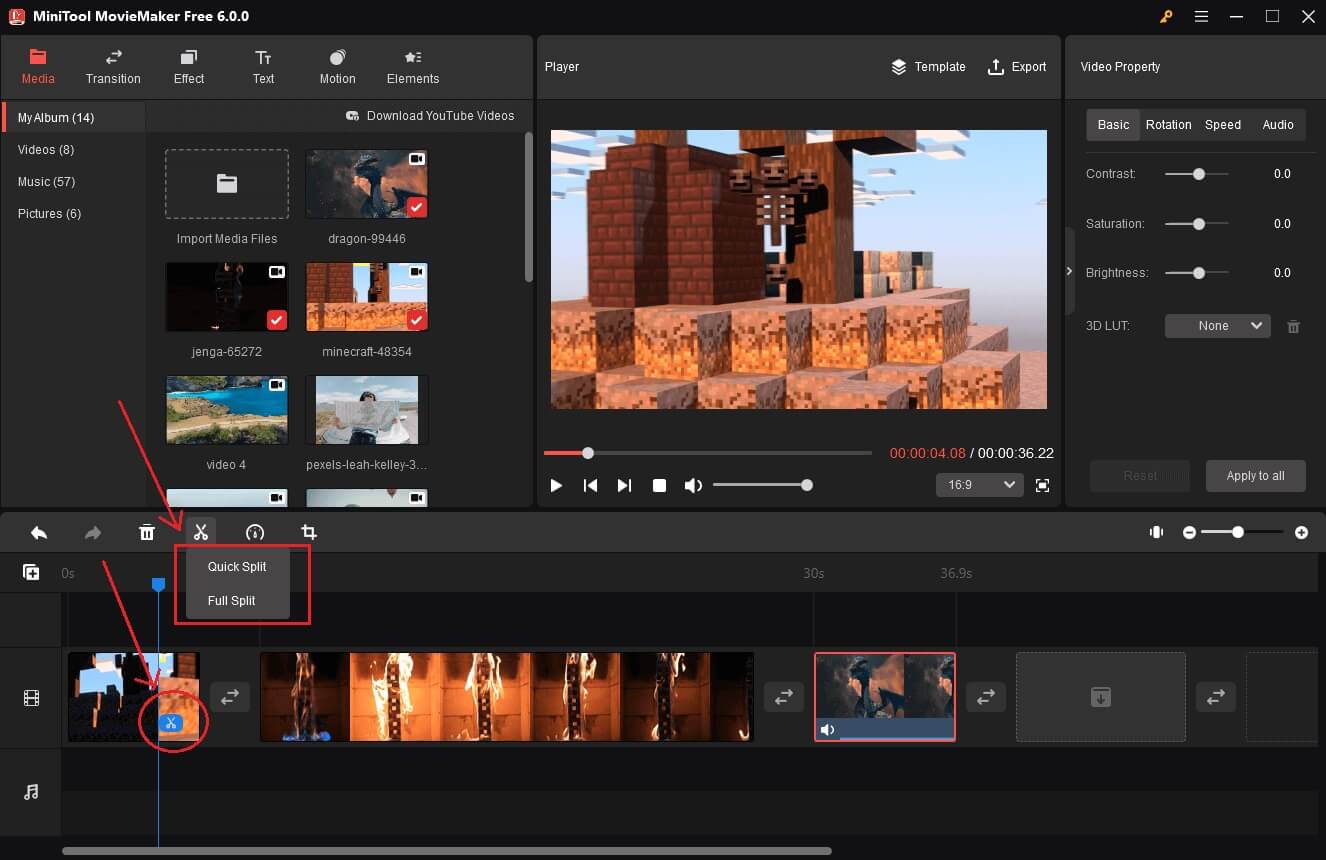
Choosing the right editing software depends on your budget and skill level. For free options, DaVinci Resolve is a professional-grade editor that offers incredible power, including color grading and visual effects, rivaling paid suites. It has a steeper learning curve but is highly rewarding. Shotcut and Kdenlive are also solid free alternatives with user-friendly interfaces, great for basic cuts, transitions, and audio adjustments. On the paid side, Adobe Premiere Pro remains the industry standard, integrated with other Adobe Creative Cloud apps, offering extensive features and excellent community support. For Mac users, Final Cut Pro is a fantastic one-time purchase. Consider Filmora for a more beginner-friendly paid option with intuitive tools and effects. When starting, often a free editor is sufficient to learn the ropes and develop your unique editing style.
How Can I Develop a Unique Content Strategy for My Gaming Channel in 2026?
Standing out in 2026 means more than just gameplay. Think about your niche. Do you excel at speedruns, offer insightful strategy guides, create hilarious compilations, or provide deep dives into game lore? Consider current trends: social and cozy games are seeing immense popularity, free-to-play titles remain a massive draw, and esports viewing continues to grow. Many busy adult gamers seek relaxation and value, so focus on content that helps them optimize their limited gaming time or make smart purchasing decisions. Maybe you review games from a working parent's perspective, or create 'best of' compilations for games that don't require 100 hours to enjoy. Authenticity and consistency are vital. What unique perspective do *you* bring to the games you love?
What Are Effective Ways to Promote My Gaming Videos and Grow My Audience?
Promotion goes beyond uploading. Leverage social media platforms like X (formerly Twitter), TikTok, Instagram, and Reddit, tailoring content to each. Create short, engaging clips or memes from your videos for TikTok and Instagram Reels. Engage with gaming communities on Discord servers and relevant subreddits, but always follow community rules to avoid spamming. Collaborate with other smaller YouTubers; cross-promotion is a powerful growth engine. Optimize your video titles, descriptions, and tags with relevant keywords to improve discoverability. Encourage interaction: ask questions in your videos, respond to comments, and foster a community. Remember, YouTube's algorithm often rewards engagement and watch time, so focus on creating content people genuinely want to stick around for.
How Do I Balance Creating Gaming Content with My Job and Family Life?
This is a common struggle for the average gamer, around 36 years old, who balances gaming with real-world responsibilities. The key is efficient planning and setting realistic expectations. Schedule dedicated recording and editing blocks, treating them like any other appointment. Don't aim for daily uploads if weekly is more sustainable. Batch creation helps immensely; record multiple game sessions or edit several short videos in one go. Utilize downtime: outline video ideas during your commute or respond to comments during a lunch break. Prioritize content that provides the most value with the least effort. For example, a well-edited compilation of funny moments might take less time than a highly polished review. Communicate your hobby to your family to ensure support and understanding. Remember, gaming should be a source of relaxation, and content creation should enhance, not detract from, that.
What Are the Best Practices for YouTube SEO in 2026 for Gaming Channels?
YouTube SEO in 2026 is all about search intent and audience engagement. Start with strong keyword research using tools like TubeBuddy or VidIQ to find what gamers are actually searching for. Integrate your primary keyword, like
Learn essential equipment and software, master video editing for efficiency, develop engaging content strategies, optimize for YouTube SEO, build a community, balance creation with life, understand monetization basics, and stay updated with 2026 trends for successful gaming videos.
35



How To Grow Your Gaming YouTube Channel Fast In 2026 Gaming Youtube Channel Growth Strategies . Easy Way To Make YouTube Gaming Videos YouTube . Mobile Se Gaming Youtube Channel Kaise Banaye How To Open Gaming . How To Make Awesome Gaming YouTube Videos For FREE YouTube . How To Create Gaming Youtube Videos 2024 Update YouTube


How To Create A Gaming YouTube Channel YouTube . HOW TO MAKE A GAMING VIDEO FOR YOUTUBE Aspiring YouTuber S Guide . 30 Gaming YouTube Video Ideas That Work In 2026 Packapop Gaming Youtube Video Ideas Packapop 63dd5e29 2545 437f Abe5 . How To Edit Gaming Videos For YouTube Like A PRO Screenshot 2024 07 26 At 15.40.51 . How To Make A YouTube Video For Gaming Tech YouTube



How To Create A YouTube Channel In 2026 Start From Scratch In 10 Easy Game Video Ideas . How To Make Gaming YouTube Videos Tutorial Works On PC Xbox And . How To Make Gaming Videos For Beginners Gamer Women Youtube Channel . A Guide On How To Make Gaming YouTube Videos For Beginners MiniTool How To Make Gaming Youtube Videos 9 . How To Create Gaming YouTube Channel Gaming YouTube



How To Make Mobile Gaming YouTube Videos YouTube . How To Start A YouTube Gaming Channel In 2026 YouTube . How To Create Gaming YouTube Channel YouTube . How To Make Gaming YouTube Videos Expert Tips And Tricks Supply . What Videos You Should Make In 2026 Based On YouTube Data TunePocket YouTube Videos To Make In 2026 1024x563

Top YouTube Gaming Channels February 2026 Nintendo ESL And . How To Start A Gaming YouTube Channel In 2025 Complete Guide To . How To Make Gaming Videos Using The Right Resources 2026 Make Gaming Videos 14 . The First 5 Videos Strategy How To Start A Gaming YouTube Channel How To Start A Gaming Youtube Channel . How To Start A Gaming YouTube Channel In 2025 Sv3 3

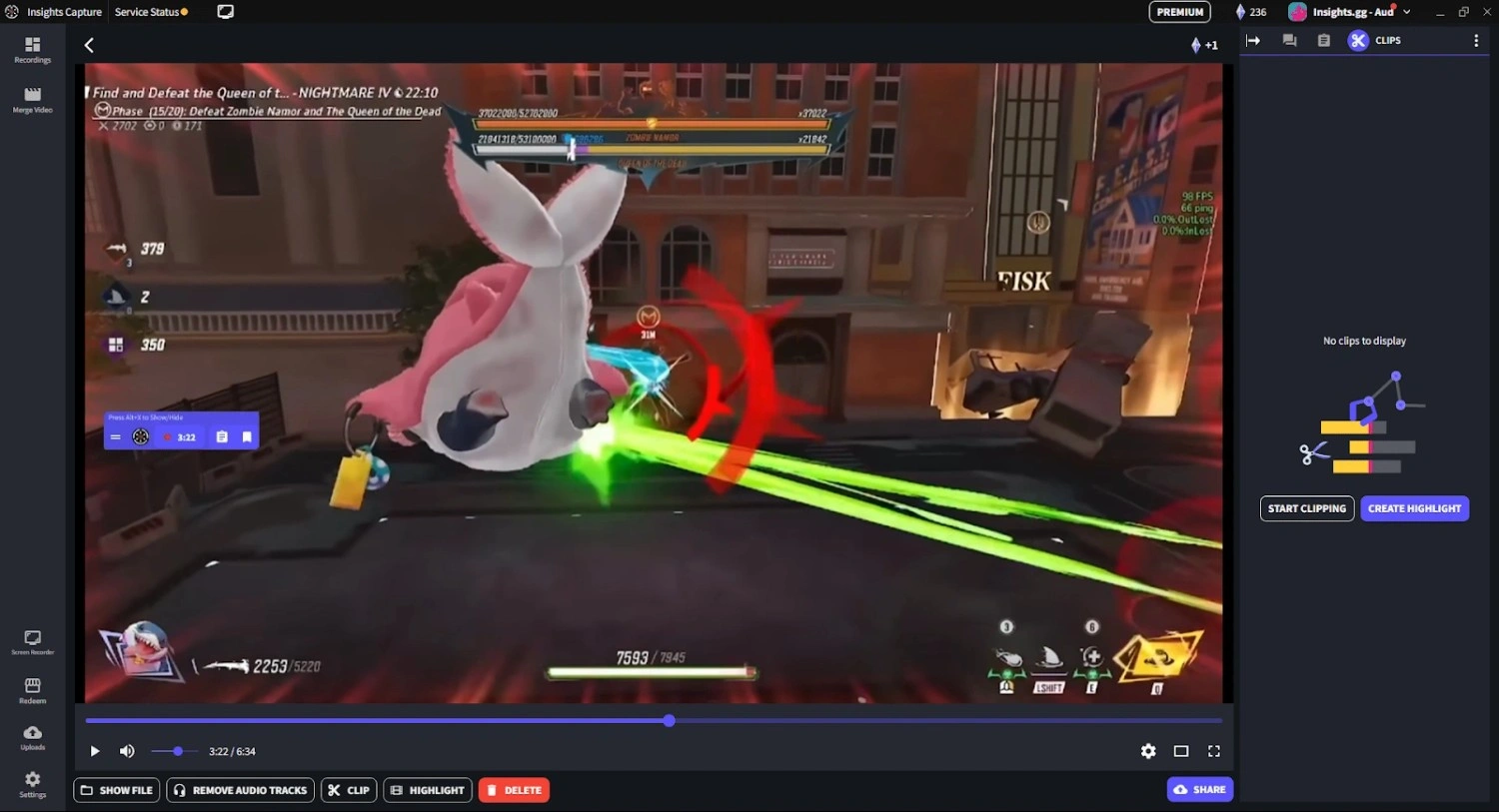
How To Make A Successful Gaming YouTube Channel YouTube . How To Create YouTube Content In 2026 Using AI Without Losing Your How To Create YouTube Content In 2026 Using AI Without Losing Your Human Touch 1024x570 . How To Make A Gaming YouTube Video For Beginners How To Make A Gaming Youtube Video 01.webp. How To Make A Gaming YouTube Video For Beginners How To Make A Gaming Youtube Video 02.webp. 23 Simple Gaming Video Ideas To Level Up Your Content In 2026 Create A YouTube Channel


How To Make A YouTube Gaming Video QUICKLY Tutorial Lightworks . How To Create A Gaming YouTube Channel In 2021 YouTube . How To Make Your First Gaming Youtube Video YouTube . How To Make YouTube Gaming Videos For Beginners DJ6t7C 4NF6A. How To Start A Gaming YouTube Channel And Stand Out In 2025 Start Gaming Youtube Channel Cover