Forgetting your Roblox password can be a major headache especially when you are balancing gaming with work and family. As an adult gamer, reclaiming access to your favorite experiences like Adopt Me Brookhaven or Doors without hassle is key. This comprehensive guide addresses the common question how can i see my roblox password by detailing practical steps for account recovery and password resets. We will explore safe and secure methods to regain access to your Roblox account discussing browser saved passwords Roblox support options and crucial security tips. Understanding that directly viewing a forgotten password is rarely possible due to robust security protocols this article focuses on effective solutions to get you back into the game swiftly. Learn how to navigate Roblox security features set up two-step verification and protect your digital identity from phishing scams ensuring your gaming journey remains uninterrupted and secure in 2026. This is your essential resource for managing your Roblox account like a pro gamer.
Can I directly see my Roblox password if I forgot it
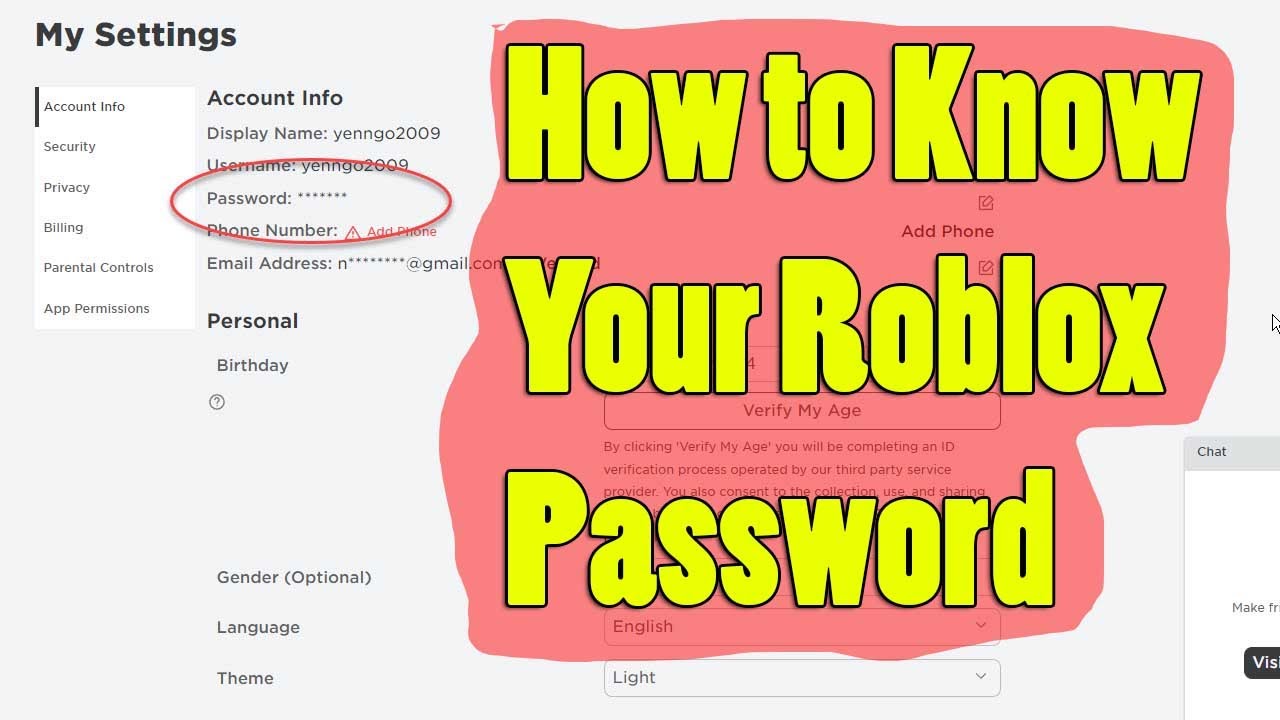
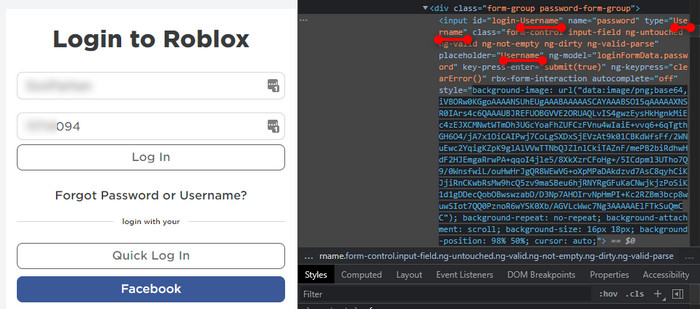
No for security reasons Roblox does not store your password in a viewable format. If you forgot your password you cannot directly see it. Instead you must reset it to gain access to your account. This is a standard security practice to protect user data preventing unauthorized access even by Roblox staff or malicious actors. Your best option is always the password reset process via email or phone number associated with your account.
How do I reset my forgotten Roblox password
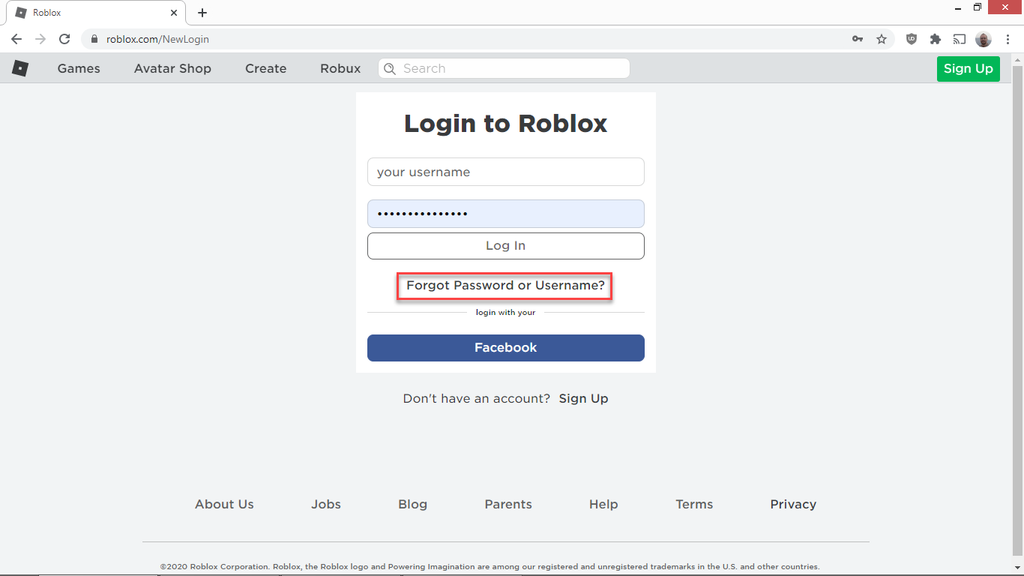
To reset your Roblox password go to the Roblox login page and click Forgot Password or Username. Enter the email address or phone number linked to your Roblox account. Roblox will send a password reset link or verification code to that contact method. Follow the instructions in the email or SMS to create a new secure password. Ensure you use a strong unique password that combines letters numbers and symbols.
Where can I find my Roblox password if I saved it in my browser
Many web browsers like Chrome Firefox Edge and Safari offer built-in password managers. You can often find your saved Roblox password in your browser's settings under Passwords or Autofill. For Chrome navigate to Settings Autofill Passwords. For Firefox go to Settings Privacy & Security Saved Logins. You will typically need to enter your computer's password or PIN to view the saved credentials for security.
What if I dont have access to the email or phone linked to my Roblox account
If you cannot access the email or phone number associated with your Roblox account recovering your account becomes more challenging but not impossible. You will need to contact Roblox Customer Support directly. Visit the Roblox Support page fill out the contact form explaining your situation in detail. Provide any relevant information that can prove you own the account such as past usernames transaction IDs or the exact creation date. Be patient as this process might take some time.
Is there a way to view my Roblox password on a mobile device
Yes on mobile devices your Roblox password might be saved within your device's password manager or the browser you use. For iOS devices check Settings Passwords. For Android devices look in Settings Google Autofill Passwords. Similar to desktop browsers you will need to authenticate with your fingerprint face ID or device PIN to access these saved credentials. This can be a quick way to log back in if your credentials were saved previously.
How can I keep my Roblox account secure moving forward
To enhance your Roblox account security enable Two-Step Verification 2SV immediately. This adds an extra layer of protection by requiring a code from your email or authenticator app in addition to your password. Also create strong unique passwords for all your online accounts and update them periodically. Be wary of phishing attempts and never share your password with anyone or click suspicious links. Regularly review your account settings for any unauthorized activity.
What should I do if my Roblox account is compromised or hacked
If you suspect your Roblox account has been compromised or hacked immediately attempt to reset your password using the linked email or phone number. If that fails contact Roblox Customer Support without delay. Provide them with as much detail as possible about the incident including when you noticed the unauthorized access and any changes made to your account. Roblox has procedures in place to help recover hacked accounts but swift action is crucial.
How many times have you settled down after a long day of work ready to dive into a relaxing session on Roblox only to be met with that frustrating "incorrect password" message? You know the feeling. For many of us balancing a job family and personal life gaming is a crucial escape a way to connect with friends or simply unwind. Losing access to your Roblox account can feel like a major roadblock especially when you just want to jump into a game of Brookhaven or explore a new experience with your kids or online buddies. The question how can i see my roblox password is one we hear frequently from fellow gamers.
Youre not alone. The US gaming landscape is vast with about 87% of adult gamers playing regularly often dedicating 10+ hours a week to their digital worlds. And for many of us those worlds include Roblox a platform that continues to grow exponentially across mobile PC and console with its diverse user-generated content and strong social elements. We understand the pain points from setup issues to performance glitches to the ever-present challenge of keeping our digital lives secure. This comprehensive guide is designed to help you navigate the tricky waters of Roblox password recovery providing practical solutions and expert tips to ensure your gaming sessions remain smooth and uninterrupted. We will dive into safe secure and reliable ways to regain access to your Roblox account emphasizing security best practices that every gamer should know in 2026.
Why Cant I Directly See My Roblox Password When I Forget It
This is arguably the most common and crucial question. The short answer is for your protection. Roblox like most reputable online services does not store your password in a plain text format that can be easily retrieved or viewed. Instead they use advanced encryption and hashing techniques. When you create a password it is converted into a unique unintelligible string of characters a hash which is then stored. If you forget your password there's no way for Roblox or anyone else to reverse that hash back into your original password. This security measure prevents unauthorized individuals including bad actors who might gain access to Roblox's databases from ever seeing your actual password. Your privacy and account safety are prioritized above the convenience of direct password retrieval. This is a fundamental principle of modern cybersecurity designed to safeguard millions of user accounts including yours.
How Do I Reset My Roblox Password If Ive Forgotten It
Since you cannot directly view your old password resetting it is the primary method for regaining account access. This process is straightforward and designed to get you back into the game as quickly as possible.
Here’s a step-by-step guide:
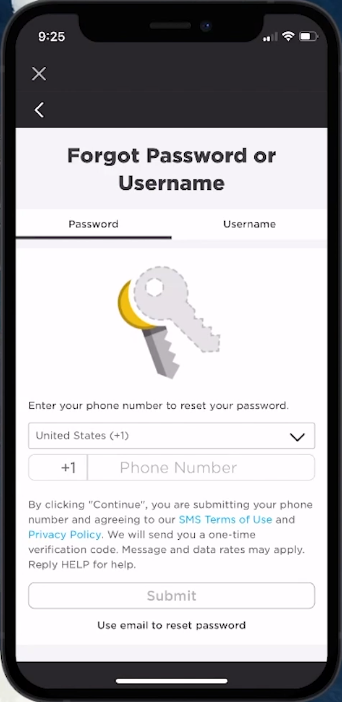
- Go to the Roblox Login Page: Open your web browser or the Roblox app and navigate to the login screen.
- Click Forgot Password or Username: You'll usually find this link prominently displayed below the login fields.
- Enter Your Account Information: Roblox will ask you to provide either the email address or the phone number that is linked to your Roblox account. It's crucial that this contact information is accurate and accessible to you.
- Check Your Email or Phone:
- Email: Roblox will send an email containing a password reset link to the address you provided. Check your inbox and spam/junk folders carefully.
- Phone: If you used a phone number you will receive an SMS message with a verification code.
- Follow the Instructions:
- For Email: Click on the password reset link within the email. This link is usually time-sensitive so act quickly.
- For Phone: Enter the verification code from the SMS into the Roblox prompt.
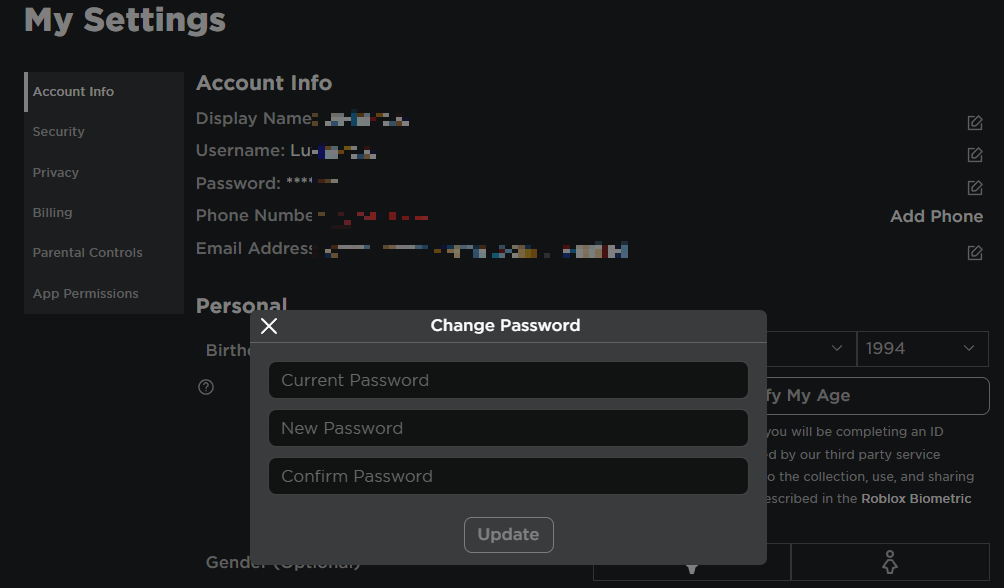
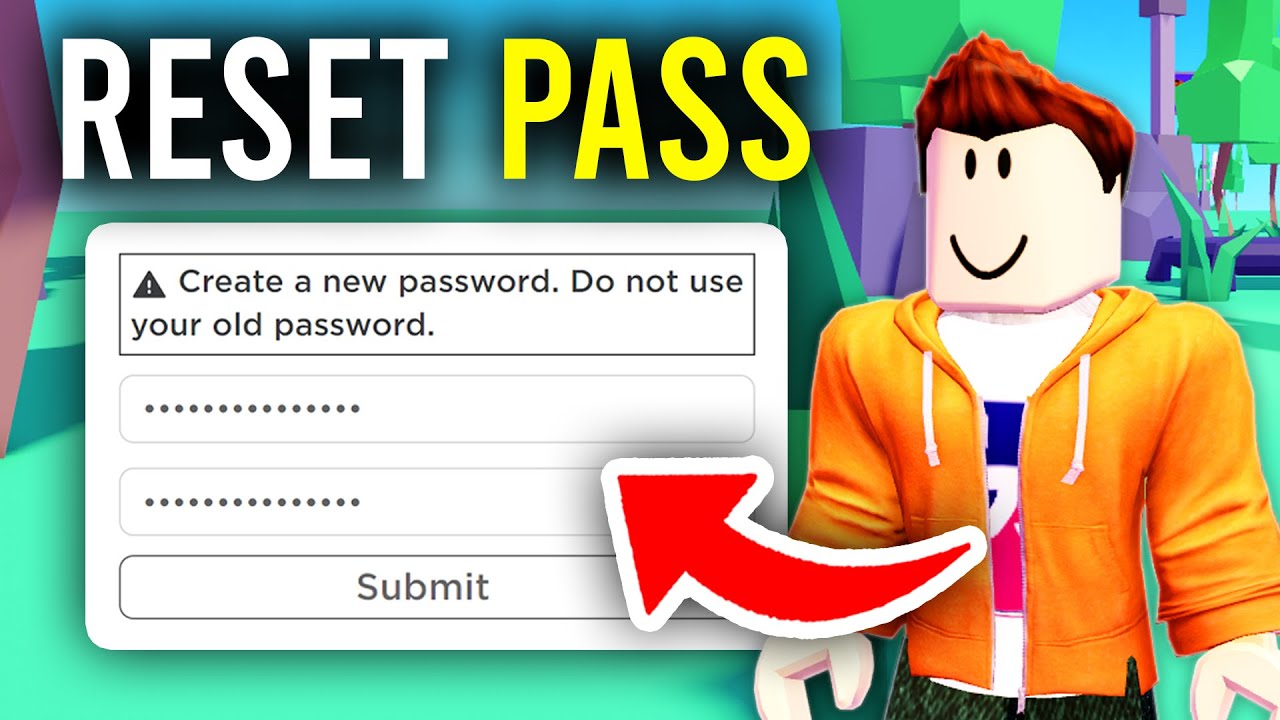
- Create a New Password: Once verified you will be prompted to create a new password. Make sure it's strong and unique. Use a combination of uppercase and lowercase letters numbers and symbols. Avoid using easily guessable information like your birthday or pet's name.
- Login with Your New Password: After setting your new password you can now log back into your Roblox account.
Remember that roughly 60% of adult gamers are looking for efficient solutions that fit into their busy schedules. This reset process is designed to be just that quick and effective.
Can Browsers or Devices Help Me Find My Saved Roblox Password
Absolutely This is a common lifeline for many gamers especially those who let their browsers or devices remember their login details. Modern web browsers and operating systems come with built-in password managers that can store your credentials for easy access.
Here’s how to check popular platforms:
- Google Chrome:
- Open Chrome and click the three-dot menu in the top right corner.
- Go to "Settings" then "Autofill" and select "Passwords".
- You'll see a list of saved passwords. Search for "Roblox".
- To view the password you'll likely need to enter your computer's password or PIN.
- Mozilla Firefox:
- Open Firefox click the three-line menu and select "Settings".
- Go to "Privacy & Security" and then "Saved Logins".
- Find "Roblox" in the list. You may need to enter your system password to reveal it.
- Microsoft Edge:
- Open Edge click the three-dot menu go to "Settings".
- Select "Profiles" then "Passwords".
- Search for "Roblox" and click the eye icon to reveal the password after entering your system authentication.
- Safari (macOS/iOS):
- macOS: Go to Safari menu "Settings" "Autofill" then "Passwords". Use Touch ID or your Mac's password.
- iOS (iPhone/iPad): Go to "Settings" "Passwords". Use Face ID Touch ID or your device passcode.
- Android Devices (Google Password Manager):
- Go to device "Settings" then "Google" then "Autofill" then "Passwords".
- Find "Roblox" and authenticate to view.
Using these built-in managers is convenient but always ensure your device itself is secure with a strong PIN fingerprint or facial recognition to protect your saved information.
What If I Lost Access To My Linked Email Or Phone For Password Recovery
This situation can be more challenging but it's not a dead end. If you no longer have access to the email address or phone number associated with your Roblox account you'll need to contact Roblox Customer Support directly. This is a common pain point for gamers who have changed providers or forgotten old account details over time.
Here's how to proceed:
- Visit Roblox Support: Go to the official Roblox Support page.
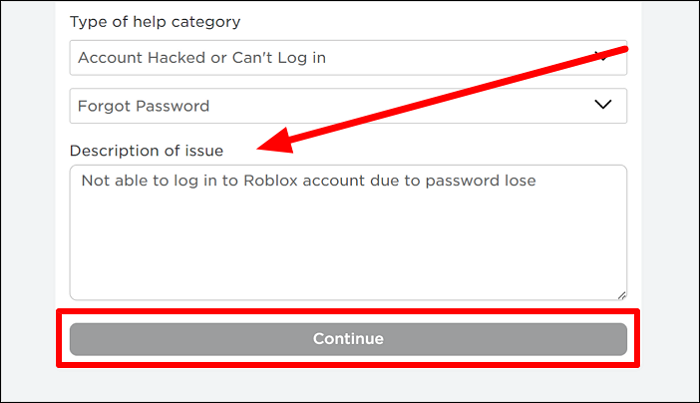
- Fill Out the Contact Form: Select the issue category that best fits your problem for example "Account Hacked or Cannot Login" or "Account Issues".
- Provide Detailed Information: In the description box explain your situation clearly. State that you cannot access your linked email or phone number and need to recover your account.
- Include Proof of Ownership: To help Roblox verify you own the account provide as much identifying information as possible:
- Your Roblox username.
- Any previous usernames.
- Exact date of birth (if provided during registration).
- Any Robux purchase receipts or transaction IDs (especially helpful).
- The approximate date your account was created.
- Any new email address or phone number you wish to associate with the account.
- Be Patient: Roblox Support typically responds within a few business days. The process of manually verifying account ownership can take longer than an automated reset. Continue to monitor your new email address for their response.
Remember that patience is key when dealing with account recovery for such specific scenarios. Providing accurate and detailed information from the start can significantly speed up the process.
How To Prevent Forgetting My Roblox Password In The Future
As adult gamers we juggle a lot of passwords. Here are proactive strategies to ensure you never have to search for "how can i see my roblox password" again:
- Use a Dedicated Password Manager: Third-party password managers like LastPass 1Password or Bitwarden offer robust security and convenience. They generate strong unique passwords for each site store them securely and autofill login fields. This means you only need to remember one master password.
- Enable Two-Step Verification (2SV/2FA): This is your best friend for account security. Roblox offers 2SV via email or an authenticator app. Even if someone gets your password they cannot log in without the second code. This significantly reduces the risk of account compromise.
- Create Strong Unique Passwords: Avoid reusing passwords across different sites. Each account should have a long complex password with a mix of letters numbers and symbols. A good rule of thumb is a passphrase that's easy for you to remember but hard for others to guess.
- Keep Contact Information Updated: Ensure the email address and phone number linked to your Roblox account are always current and accessible. This is vital for password resets and security notifications.
- Regularly Review Account Activity: Occasionally check your Roblox account settings for any unfamiliar logins or changes. Many services including Roblox provide a list of recent login locations or devices.
Balancing gaming with life means optimizing where you can. A good password strategy saves you time and stress in the long run.
What Are The Best Practices For Roblox Account Security In 2026
With social gaming trends continuing to dominate and mobile gaming at an all-time high securing your Roblox account is more important than ever. Here's what's top of mind for 2026:
- Prioritize Two-Step Verification (2SV): This cannot be stressed enough. It’s the single most effective security measure available. Roblox has made it easy to enable via email or an authenticator app. Make it your first step after recovering your account.
- Beware of Phishing Scams: Scammers often try to trick you into revealing your password through fake login pages or promises of free Robux. Always double-check the URL to ensure it's the official Roblox site (roblox.com). Never click suspicious links in emails or DMs.
- Educate Your Family: If younger family members also use Roblox ensure they understand the importance of not sharing passwords and identifying suspicious requests. Parental controls can also supplement security.
- Use a Strong Unique Password for Roblox: As mentioned before this is fundamental. Don't use passwords associated with your email or other critical accounts.
- Monitor Account Activity: Regularly check your Roblox message center for unusual activity or notifications. If you see anything suspicious change your password immediately.
- Keep Your Devices Secure: Ensure your PC console or mobile device has up-to-date antivirus software and strong screen locks. A compromised device can expose all your saved credentials.
Protecting your account ensures your relaxation fun and social play on Roblox remain uninterrupted.
How Do Parental Controls Tie Into Roblox Password Management For Families
For parents who are also gamers managing family accounts especially on platforms like Roblox is a balancing act. Adult gamers often appreciate the value of shared experiences but also the need for oversight. Roblox's parental controls specifically the Account Restrictions feature can play a vital role here.
- Account Restrictions: This feature allows parents to limit who their child can chat with on Roblox or even disable chat entirely. More importantly it prevents changes to account settings without a parent PIN. This means that once set up a child cannot change their email address or password recovery options without the PIN protecting their account from accidental or intentional misconfiguration.
- Parent PIN: Setting a 4-digit PIN for account settings is crucial. This PIN is separate from the child's Roblox password and only known to the parent. It ensures that critical security settings including the email address used for password recovery cannot be altered without parental consent.
- Monitoring Email: Ensure the parent's email address is linked to the child's account for password recovery. This way if the child forgets their password the reset link goes directly to the parent allowing for quick and secure access restoration.
- Teaching Digital Literacy: Beyond technical controls it's important to have conversations with younger gamers about online safety the importance of strong passwords and never sharing personal information. This builds skill-building and responsible online behavior.
For busy adults parental controls offer peace of mind knowing that their child's Roblox experience is secure and manageable.
What Are The Latest Trends In Roblox Account Security And Privacy
The online gaming world evolves rapidly and so do security threats. In 2026 staying current means understanding new vectors for compromise and defense mechanisms.
- AI-Powered Phishing: Scammers are leveraging AI to create more convincing phishing emails and in-game messages making them harder to detect. Always be skeptical of urgent requests or offers that seem too good to be true.
- Creator Influence and Scams: With the rise of Roblox creators and influencers new scams emerge pretending to offer exclusive items or Robux through unofficial channels. Always verify information through official Roblox channels.
- Enhanced Platform Security: Roblox is continuously investing in its own security infrastructure including advanced anti-cheat systems and improved bot detection to protect its ecosystem. However user-level security remains paramount.
- Data Privacy Regulations: Increasingly stringent data privacy regulations worldwide mean platforms like Roblox are enhancing their transparency on data handling. Understanding Roblox's privacy policy is more important than ever.
- The Human Element: Despite technological advancements the weakest link is often the human factor. Education on safe online practices strong password hygiene and vigilance remains the most effective defense.
Staying informed about these trends helps adult gamers protect their own and their family's accounts keeping the gaming experience fun and secure.
My Roblox Account Was Hacked What Steps Should I Take Immediately
Discovering your Roblox account has been hacked is a distressing experience but quick action can often mitigate the damage. Many adult gamers find themselves in this situation stressing about lost progress or Robux. Here's an immediate action plan:
- Attempt a Password Reset: Your first step should be to try and reset your password using the email or phone number currently linked to your account. If the hacker hasn't changed this information you might be able to regain control quickly.
- Check for Email Notifications: Look for any emails from Roblox regarding account changes such as password resets or email changes. These often provide clues or direct links to reverse unauthorized actions.
- Contact Roblox Customer Support Immediately: If you cannot regain access through a password reset contact Roblox Support via their official website.
- Fill out the "Contact Us" form under "Account Hacked or Cannot Login".
- Provide your Roblox username and the email address originally linked to your account.
- Give as much detail as possible about when you noticed the hack any changes made and any suspicious activities. Include purchase receipts if you have them as proof of ownership.
- Secure Your Email: If the hacker gained access to your Roblox account they might also have access to your linked email. Change your email password immediately and enable 2SV on your email account.
- Remove Malicious Software: Run a full scan with reputable antivirus software on your computer or mobile device. Malicious software like keyloggers could have compromised your password.
- Inform Friends: If possible inform your Roblox friends that your account was compromised to prevent the hacker from sending malicious links or scamming them.
Roblox has a dedicated team for account recovery but the faster you act the better your chances of a successful restoration.
How Does Roblox Support Help With Password And Account Issues
Roblox Customer Support is your go-to resource when automated password resets or browser recovery methods fall short. They handle a wide range of account-related issues from forgotten passwords to compromised accounts. Their goal is to verify your identity and restore access while maintaining security standards. When you contact them here’s what to expect:
- Identity Verification: Roblox Support will ask for information to confirm you are the legitimate owner of the account. This includes details like your username email address associated with the account payment information from past Robux purchases or the account creation date. Having these details ready significantly speeds up the process.
- Ticket System: All interactions are typically handled through a ticket system. You submit a request and they respond via email. It’s important to keep all communications within this system for documentation.
- Troubleshooting Assistance: Beyond direct password resets they can help troubleshoot login issues two-step verification problems and provide guidance on securing your account after a potential breach.
- Account Restoration: In cases of hacking or unauthorized changes Roblox Support can often revert these changes and help you regain full control of your account providing you can prove ownership.
- Parental Support: They also provide specific assistance for parents dealing with child account issues including setting up parental PINs and managing account restrictions.
Remember clear and concise communication with support staff is vital. They are there to help but need accurate information to do so effectively.
Conclusion Your Path to a Secure Roblox Experience
Navigating the occasional login hiccup or security concern is part of the modern gaming experience especially for those of us balancing busy lives. We hope this guide has demystified the question how can i see my roblox password and provided clear actionable steps to manage your account. While directly viewing a forgotten password isn't possible due to robust security measures effective recovery and proactive security are entirely within your control. From utilizing browser password managers to enabling two-step verification and knowing when to contact Roblox Support you now have the tools to keep your Roblox adventures safe and uninterrupted.
Keeping your account secure allows you to fully enjoy the relaxation fun and social connections that Roblox offers whether you're building new worlds or just chatting with friends. Take these steps to protect your digital playground. What's your biggest gaming security challenge or tip? Share it in the comments below!
FAQ Frequently Asked Questions
What is the quickest way to get back into my Roblox account if I forgot my password?
The quickest way is to use the Forgot Password or Username link on the Roblox login page and follow the email or SMS verification steps. This typically allows you to reset your password within minutes.
Can Roblox Support tell me my old password?
No Roblox Support cannot tell you your old password. For security reasons they do not have access to your original password. They can only help you through the process of resetting it to a new one.
Is it safe to save my Roblox password in my web browser?
Saving your password in your browser is convenient but its security depends on your device's overall protection. Ensure your computer or phone has a strong password PIN or biometric security to protect your saved credentials.
How important is Two-Step Verification for Roblox?
Two-Step Verification (2SV) is extremely important. It adds a critical layer of security making it significantly harder for unauthorized users to access your account even if they somehow obtain your password. Enable it today.
What if I receive an email about a Roblox password reset I didn't request?
If you receive an unsolicited password reset email do not click any links. It could be a phishing attempt. Instead go directly to the official Roblox website and change your password there immediately to secure your account. Report the suspicious email if possible.
Can I use a parent's email for a child's Roblox account password recovery?
Yes it's highly recommended for parents to link their own email address to their child's Roblox account. This ensures parents maintain control over password resets and account security settings preventing unauthorized changes.
Are there any free Robux generators that ask for my password?
No free Robux generators that ask for your password are scams. Roblox does not offer free Robux through third-party sites. Never enter your password on any site other than the official roblox.com.
Roblox password recovery steps resetting forgotten passwords account security tips viewing browser saved passwords two step verification setup contacting Roblox support avoiding phishing scams regaining account access.
35


How To Find Your Roblox Password For 2026 . How To Find Your Roblox Password For 2026 . How To See Your Roblox Password Best Guide YouTube . How To See Your Password In Roblox 2025 How To Know Roblox Password . Lost Roblox Password How To Find Yours In 2026





How To Find Your Roblox Password For 2026 . Lost Roblox Password How To Find Yours In 2026 . Lost Roblox Password How To Find Yours In 2026 . Lost Roblox Password How To Find Yours In 2026 . Lost Roblox Password How To Find Yours In 2026



Lost Roblox Password How To Find Yours In 2026 Mqdefault . How To Find Your Roblox Password For 2026 Reveal Roblox Password . How To See Roblox Password On Mobile 2026 See Roblox Login Password . How To Reset Your Roblox Password In 8 Easy Steps Guide Robfp7 1536x791 . Lost Roblox Password How To Find Yours In 2026


Lost Roblox Password How To Find Yours In 2026 . Lost Roblox Password How To Find Yours In 2026 . Lost Roblox Password How To Find Yours In 2026 . Lost Roblox Password How To Find Yours In 2026 . Lost Roblox Password How To Find Yours In 2026



How To Reset Forgotten Roblox Password Full Guide YouTube . Roblox Account Password Guessers Friend Or Foe Forgot Roblox Password . Hey Google What Is My Roblox Password At Michael Stover Blog 1024 80 . How To Change Your Roblox Password Quick Guide Tech How 2 Change Password. Roblox Password Finder Change Your Roblox Password Step 14



I Forgot My Password In Roblox Reset Mot De Passe Roblox PRLEX . How To Change Password In Roblox YouTube . 4 Ways To Reset Roblox Password Specify The Issue . How To Create A Roblox Account In 2026 What You Need Roblox Login How To Create A New Account . Want A Free Roblox Account What You Need To Know Now



How To See Your Roblox Password 2024 How To Can I Find Out My Roblox . How To Find Your Roblox Password For 2026 4 Reset Password. How Do You See Your Roblox Password Information . Lost Roblox Password How To Find Yours In 2026 How To See Your Roblox Account Password Guide . How To Reset Roblox Password Full Guide YouTube