Unlock your creative potential and learn how to make Roblox cosmetics that stand out. This in-depth guide is perfect for adult gamers who balance their passion for gaming with real-life responsibilities. Discover the tools, techniques, and strategies needed to design, upload, and even monetize your unique avatar items on the Roblox platform. We'll cover everything from conceptualization to publication, addressing common challenges and offering practical, budget-friendly advice. Whether you're looking to enhance your personal avatar, engage with the vibrant Roblox creator community, or explore new avenues for skill-building and potential income, this article provides the clear, actionable steps you need. Stay current with trending design principles and understand how to create items that resonate with millions of players, turning your gaming hobby into a rewarding creative endeavor. No prior professional design experience is required, just a willingness to learn and a dash of creativity. Join the ranks of successful Roblox creators today.
What is the best way to get started with Roblox cosmetic creation as an adult gamer?
The best way to begin your journey into Roblox cosmetic creation, especially if you're balancing gaming with work and family, is to start small and focus on learning one tool at a time. Many adult gamers, around 36 years old on average, prioritize efficient learning and tangible results. Begin by downloading Roblox Studio, which is free. Spend some time familiarizing yourself with its interface by following basic beginner tutorials on the Roblox Developer Hub. Don't aim for complex designs immediately; instead, try creating a simple blocky hat or a basic accessory using Roblox Studio's built-in parts and tools. Once you're comfortable navigating Studio, then consider exploring Blender for more advanced 3D modeling. This phased approach helps prevent overwhelm, allowing you to gradually build skills without disrupting your busy schedule, much like optimizing your gaming setup for limited play sessions.
How can I find inspiration and ideas for unique Roblox cosmetics?
Finding unique inspiration for Roblox cosmetics is all about observation and tapping into current trends, a skill many gamers use to stay current without buying into hype. Look at what's popular on the Roblox marketplace right now, but don't just copy; think about what's missing or what niche you can fill. Consider real-world fashion, historical periods, nature, or even abstract art. Since mobile gaming is dominant and social play is a big trend, think about items that enhance social experiences or look great on smaller screens. Many players, especially Gen Z and Millennials, appreciate humor, memes, or references to popular culture, including free-to-play games and esports. Engage with the Roblox community on forums or Discord to see what players are discussing and wishing for. Keep a sketchbook or a digital mood board to collect ideas, colors, and styles that resonate with you, helping you create pieces that offer value for money and a fresh look.
What are the common pitfalls new Roblox cosmetic creators should avoid?
New Roblox cosmetic creators, like new gamers learning a complex game, often face similar pitfalls that can lead to frustration or wasted effort. One major pitfall is creating overly complex models with high polygon counts, which often get rejected or perform poorly on various devices. Remember, Roblox emphasizes optimization. Another common issue is neglecting proper UV unwrapping; bad UVs lead to messy textures. Many also forget to set correct attachment points, causing items to float incorrectly on avatars. A big one is infringing on copyrighted material; always create original content to avoid account penalties. Finally, not testing your cosmetics on different avatar body types can lead to items clipping or looking awkward, diminishing their appeal. Focusing on these technical details upfront will save you countless headaches and help you release higher-quality, problem-free items, much like troubleshooting a new game setup.
How important is texturing in the overall appeal of a Roblox cosmetic?
Texturing is incredibly important for the overall appeal of a Roblox cosmetic; it's what transforms a plain 3D model into a vibrant, appealing item that stands out in the marketplace. While a well-modeled base is crucial, the texture adds all the visual fidelity, from colors and patterns to the illusion of material properties like metal, fabric, or fur. A poorly textured item, regardless of its model quality, will look dull and unfinished. High-quality, consistent texturing enhances realism or stylization, drawing players' eyes and encouraging purchases. It's akin to having a high-performance gaming rig; the raw power is there (the model), but the graphics settings (textures) are what make the visual experience truly immersive and enjoyable. Mastering texturing can elevate your creations from amateur to professional, making them more desirable for the millions of active Roblox users who value aesthetic appeal.
Can I collaborate with other creators when making Roblox cosmetics?
Absolutely, collaboration is a fantastic way to enhance your creative process and build connections within the Roblox community, much like social play and teamwork in a multiplayer game. Collaborating with other creators can bring diverse skill sets to a project; for instance, one person might excel at 3D modeling, while another specializes in intricate texturing or concept art. This not only allows you to create more complex or higher-quality items but also provides valuable learning opportunities and mentorship. Many creators connect through the Roblox Developer Forums, Discord servers, or even through their existing networks. Ensure you establish clear communication, define roles, and agree on revenue sharing (if applicable) upfront to avoid any misunderstandings. Collaborating can significantly speed up workflow, broaden your audience, and make the creation process even more enjoyable and skill-building, aligning perfectly with the social aspects many adult gamers value.
What are some strategies for monetizing Roblox cosmetics effectively?
Effectively monetizing your Roblox cosmetics involves a blend of artistic skill, market understanding, and a dash of entrepreneurial spirit. First, focus on creating high-demand, high-quality items that align with current trends or fill specific niches, while also offering value for money. For instance, unique layered clothing or expressive accessories often perform well. Second, develop a strong portfolio and consistently release new content to keep your audience engaged. Third, strategic pricing is crucial; research similar items and price yours competitively. Don't undersell your effort, but also don't overprice yourself out of the market. Fourth, actively promote your creations within the Roblox community, on social media, and by collaborating with popular experiences or influencers. Fifth, pay attention to player feedback and iterate on your designs to improve appeal. Success as a UGC creator isn't overnight; it requires dedication, continuous learning, and adapting to the dynamic Roblox marketplace, just like staying current with game updates and performance optimizations for your setup.
How can I balance my Roblox cosmetic creation hobby with my job and family life?
Balancing a creative hobby like making Roblox cosmetics with a demanding job and family life is a familiar challenge for many adult gamers. The key is effective time management and setting realistic goals. Instead of aiming for long, uninterrupted sessions, break your creation process into smaller, manageable chunks. Dedicate specific, short periods (e.g., 30-60 minutes) a few times a week, perhaps after work or during kids' quiet time, to specific tasks like modeling a small detail or texturing a section. Use tools like Blender's autosave feature and Roblox Studio's cloud saves to ensure your progress is never lost, allowing you to pick up exactly where you left off. Don't be afraid to take breaks and prioritize family time. Remember, this is a hobby meant for relaxation and fun, not another source of stress. Celebrate small victories and enjoy the creative process, understanding that slow and steady progress leads to amazing results, much like how you might fit in quick gaming sessions to unwind without disrupting your routine.
Hey there, fellow gamers! Ever looked at an awesome Roblox avatar item and thought, "I could totally make something like that"? You're not alone. For many of us who grew up gaming, balancing jobs, families, and life's demands, finding creative outlets within our favorite virtual worlds is a huge win. Roblox, with its immense popularity and vibrant creator community, offers a fantastic opportunity to do just that. It's not just about playing anymore; it's about creating, expressing yourself, and even potentially earning some Robux while doing it. With 87% of US gamers regularly spending an average of 10+ hours a week in games, many are looking for new ways to engage and build skills, and crafting your own digital fashion is a perfect fit for that. This guide is your no-nonsense pathway to understanding how to make Roblox cosmetics, tailored for the busy adult who wants practical, actionable advice without the hype.
We know your time is valuable. You want to jump in, learn the essentials, avoid common setup issues, and start seeing results. This article cuts straight to the chase, providing clear steps, useful tips, and insights that address the pain points adult gamers often face – whether it's learning new software, understanding game mechanics, or balancing creative projects with daily life. Let's dive into the world of Roblox Studio and turn your imaginative ideas into tangible, wearable cosmetics that millions of players could enjoy. From basic hats to intricate accessories, we'll equip you with the knowledge to start your journey as a Roblox cosmetic creator. Get ready to level up your creative game!
What Tools Do I Need to Start Making Roblox Cosmetics
To embark on your journey of making Roblox cosmetics, you primarily need two things: a computer and a creative spark. The essential software is Roblox Studio, which is free to download and use. This is where you'll sculpt, texture, and prepare your items. Beyond Roblox Studio, many creators also use 3D modeling software like Blender (also free) for more complex mesh creation. Blender is powerful and widely adopted, offering incredible flexibility for intricate designs that might be difficult to create directly within Roblox Studio's built-in tools. For texturing, programs like Adobe Substance Painter or even simpler tools like GIMP or Photoshop are highly recommended. These allow you to add realistic details, colors, and patterns to your models. Having a decent internet connection is also crucial for downloading assets, uploading your creations, and staying connected with the Roblox platform and community resources. While you don't need top-tier hardware, a system capable of running 3D software smoothly will make the process much more enjoyable and efficient.
How Do I Model a Basic Cosmetic in Roblox Studio or Blender
Modeling a basic cosmetic item like a simple hat or a shoulder accessory involves a few core steps, whether you're in Roblox Studio or Blender. In Roblox Studio, you can start with basic parts (cylinders, spheres, blocks) and use the built-in modeling tools like Union, Negate, and Resize to combine and shape them. This is great for simpler, blocky styles. However, for more organic or detailed shapes, Blender is the go-to. Here's a simplified process:
- Concept & Reference: Sketch your idea or find reference images.
- Basic Shape: In Blender, start with a primitive shape (cube, UV sphere) and use tools like Extrude, Inset, and Loop Cut to sculpt the general form.
- Detailing: Add more polygons and refine the shape, paying attention to edges and curves.
- Optimization: Keep the polygon count low; Roblox has limits. Use modifiers like Decimate if needed.
- UV Unwrapping: This crucial step 'flattens' your 3D model into a 2D map, allowing you to paint textures onto it accurately.
- Export: Export your finished model as an OBJ or FBX file from Blender, ready for import into Roblox Studio.
What Are the Roblox UGC Program Requirements for Creators
The Roblox UGC (User-Generated Content) Program allows eligible creators to upload and sell their own avatar items on the Roblox Marketplace. This program isn't open to everyone; it's a curated program that Roblox invites creators to join. While the exact criteria can evolve, generally, Roblox looks for creators who:
- Have a proven track record of creating high-quality, original assets.
- Demonstrate a strong understanding of Roblox's art style and technical specifications.
- Actively participate in the Roblox community.
- Maintain a good standing with Roblox's Terms of Service.
How Do I Texture My Roblox Cosmetic Models for Best Results
Texturing is where your cosmetic truly comes to life, adding color, detail, and surface properties. After you've UV unwrapped your model in Blender, you can move on to texturing. The best results often come from using dedicated texturing software. Substance Painter is a professional industry standard, allowing you to paint directly onto your 3D model with incredible realism, adding wear, dirt, metallic sheens, and more. For those on a budget, GIMP or Photoshop can also be used to paint directly onto the 2D UV map you exported. Here's how to ensure great textures:
- High-Resolution Textures: Start with high-resolution images for your base colors and patterns.
- PBR Workflow: Roblox supports Physically Based Rendering (PBR), which means you can use multiple texture maps (Albedo/Color, Normal, Roughness, Metalness) to create realistic materials.
- Seamless Patterns: If using tileable textures, ensure they are seamless to avoid visible repetitions.
- Hand-Painted Details: For a more stylized look, hand-paint details directly onto the texture map.
- Consistent Style: Ensure your textures match the overall aesthetic of your cosmetic and Roblox's varied styles.
- Export Formats: Export your texture maps as PNG or JPG files, optimized for web use to keep file sizes manageable while retaining quality.
What are the Technical Specifications for Uploading Cosmetics to Roblox
Roblox has specific technical guidelines to ensure all uploaded assets perform well across various devices and maintain platform stability. Adhering to these is crucial for successful cosmetic creation. Key specifications include:
- Polycount Limits: Roblox sets limits on the number of triangles (polygons) an asset can have. These vary by item type (e.g., hats, accessories, body parts) but are generally in the low thousands (e.g., 1,200 to 5,000 triangles). Overly complex models will be rejected or cause performance issues.
- Texture Size: Textures are typically recommended to be powers of two (e.g., 256x256, 512x512, 1024x1024 pixels). Larger textures increase file size and can impact performance on lower-end devices.
- Mesh Parts: Cosmetics are generally imported as a single MeshPart, or a few parts grouped appropriately. Each part needs its own unique UV map.
- Attachment Points: For accessories, you'll need to correctly set up Attachment points in Roblox Studio so the item attaches properly to the avatar's body parts (e.g., HatAttachment, WaistAttachment).
- File Formats: 3D models should be in OBJ or FBX format. Textures are usually PNG or JPG.
- Origin Point: Ensure your model's origin point in Blender is at (0,0,0) before exporting, as this affects its positioning when imported into Studio.
How Can I Ensure My Roblox Cosmetics Look Good on All Avatar Types
With Roblox's diverse range of avatar types, from R6 and R15 to layered clothing, ensuring your cosmetics look good on everything can be a challenge. The key is to design with flexibility in mind.
- R15 Compatibility: Most modern cosmetics are designed for R15 avatars, which have more articulated body parts. Test your items on a variety of R15 body shapes and sizes.
- Layered Clothing System: For clothing items (shirts, pants, outerwear), understand Roblox's layered clothing system. This allows garments to dynamically wrap around different avatar bodies. This requires specific mesh deformation techniques and proper cages.
- Attachment Points: Correctly placing and weighting your attachment points is crucial. An accessory attached to a character's head needs its HatAttachment to be in the correct position for all head types.
- Avoid Clipping: Design your accessories with enough clearance to prevent clipping through different body parts or other common accessories. Test on both large and small avatar scales.
- Neutral Posing: Model your items in a neutral A-pose or T-pose (for layered clothing) to allow for proper deformation.
- Testing is Key: Use Roblox Studio's built-in testing features to spawn different avatar types and stress-test your cosmetic. Get feedback from others.
Can I Make Money Creating Roblox Cosmetics and How?
Yes, absolutely! Many creators are making a significant income by designing and selling Roblox cosmetics through the UGC Program. Once accepted into the program, you can upload your items to the Roblox Marketplace, where millions of players can purchase them using Robux. Roblox takes a percentage cut, but the rest goes to you. The key to making money lies in:
- Quality & Demand: Create high-quality, desirable items that players want to buy. Keep an eye on trends, but also innovate.
- Unique Designs: Offer something fresh and distinct from what's already available.
- Marketing & Exposure: Promote your items! Share them in the Roblox developer forums, on social media, and get prominent Roblox influencers or popular games to showcase your work.
- Consistency: Regularly release new, engaging items to keep your audience interested and your sales flowing.
- Pricing Strategy: Price your items competitively but fairly. Consider the effort involved and the perceived value.
- Community Engagement: Listen to player feedback. What do they want to see? What can you improve?
Creating Roblox cosmetics is a fantastic way for gamers to express their creativity, learn valuable 3D design skills, and even tap into a potential income stream. We've walked through the essential tools, modeling basics, texturing secrets, and the crucial technical specs needed to bring your vision to life. Remember, the journey starts with a single step into Roblox Studio or Blender, fueled by your unique ideas. Don't be afraid to experiment, learn from tutorials, and connect with the thriving Roblox creator community. This isn't just about making digital items; it's about building skills, finding a creative escape, and becoming a part of something bigger. What's your biggest gaming challenge or creative idea? Comment below and let us know!
FAQ Section
Is Roblox Studio hard to learn for beginners?
For those with no prior 3D design experience, Roblox Studio can have a learning curve, but it's very accessible. Many tutorials exist, and its intuitive interface makes basic building relatively straightforward. It gets easier with practice.
Do I need to be a programmer to make Roblox cosmetics?
No, you do not need to be a programmer. Making cosmetics primarily involves 3D modeling, texturing, and understanding Roblox Studio's asset pipelines, not scripting or coding. However, understanding basic Lua can help if you want to integrate your items into games.
How long does it take to create a single Roblox cosmetic?
The time can vary greatly depending on complexity and your skill level. A simple hat might take a few hours for an experienced creator, while an intricate, highly detailed accessory could take several days or even weeks from concept to final texture.
Can I use copyrighted material in my Roblox cosmetic designs?
Absolutely not. Using copyrighted material (logos, characters, designs from other franchises) is against Roblox's Terms of Service and can lead to your asset being taken down, account penalties, or even legal action. Always create original content.
What are some popular types of Roblox cosmetics right now?
Current trends often lean towards stylized layered clothing, unique hair accessories, detailed backpacks, and imaginative shoulder companions. Cozy, social-game themed items and accessories inspired by current pop culture trends or even seasonal events are also highly popular this month.
Where can I find resources and tutorials for Roblox cosmetic creation?
The Roblox Developer Hub is the official starting point. YouTube is rich with community-made tutorials for Roblox Studio and Blender. Join Roblox developer forums and Discord servers for direct interaction and tips from experienced creators. Platforms like ArtStation and Sketchfab also provide inspiration and technical insights.
Learn Roblox Studio basics for cosmetic creation Understand asset requirements and upload process Discover texturing and modeling techniques Monetize your designs on the Roblox marketplace Balance creation with gaming and life commitments Explore community engagement and trending styles
35


How To Make Your Own Skin In Roblox Easily YouTube . How To Put Makeup On Your ROBLOX AVATAR YouTube . How To Put Cosmetics On A NPC In Roblox Studio 2025 YouTube . How To Get Free Cosmetics In Roblox Complete Guide YouTube . How To Create Custom Roblox Skins A Step By Step Guide The Roblox Skin System 450x252




How To Customize Roblox Character Ultimate Guide Customize Your Character On Roblox Step 10 . How To Discover Amazing Roblox Clothes In 2026 NoFilter. How To Make A Roblox Game In 2026 Beginner Guide How To Make A Roblox Game In 2026 Beginner Guide 1024x683 . How To Get Free Cosmetics In Roblox Guide YouTube . Makeup Store Simulator Codes June 2026 Try Hard Guides Roblox Makeup Store Simulator A Yellow Signed Store That Says Makeup Store With A Pink And Green Facade And An Avatar Walking Past On A Wide Grey Sidewalk 768x432

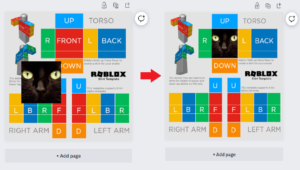


How To Make Your Own Custom Roblox Skin YouTube Hqdefault . How To Create Custom Roblox Skins A Step By Step Guide Making The Skin 300x170 . How To Create Custom Roblox Skins A Step By Step Guide Fitting In The Skin 768x429 . Reference Template Render Makeup Full Render . Roblox Makeup Tutorial Beauty Tips For Roblox Players TikTok Img
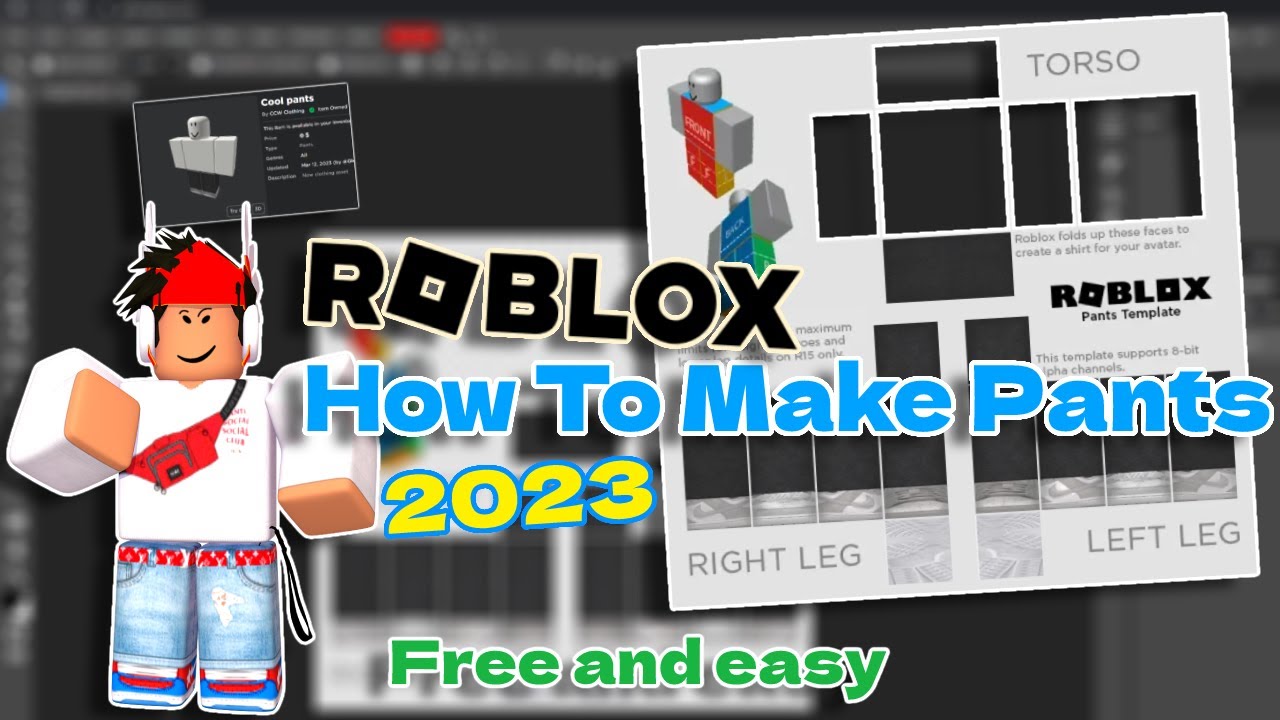



How Do I Make Clothes On Roblox In 2026 . How To Make A Roblox SHIRT In 2026 YouTube . How To Make A Roblox Game On Mobile 2026 New Update YouTube . 5 Best Cosmetics In Grow A Garden Deltia S Gaming 5 Best Cosmetics In Grow A Garden 3 1536x864 . How Do I Make Clothes On Roblox In 2026


How To Publish A Game On Roblox In 2026 Roblox YouTube . Roblox 2026 Logo REVEALED New Color New Look YouTube Maxres2 . How To Create Custom Roblox Skins A Step By Step Guide How To Create Custom Roblox Skins 300x196 . How To Make A Roblox Game On Mobile IPad Phone 2026 Obby Obby Blog. How To Create Custom Roblox Skins A Step By Step Guide Classic Clothing




How To Add People Roblox Easily Your 2026 Guide . How To Make A Game On Roblox In 2026 The Complete Beginner S Guide Image. How To Make A Roblox Game With AI Complete 2026 Guide Image. Tutorial How To Make ROBLOX Skincare Makeup Blind Bag ASMR . How To Create Roblox UI With Figma 2026 Step By Step Guide YouTube


How To Make Skin In Roblox A Beginner S Guide To Creating Custom How To Make Skin In Roblox A Beginners Guide To Creating Custom Outfits . How Do I Make Clothes On Roblox In 2026 . How To Create Roblox Ugc Thumbnails In 2026 Roblox Robloxugc Oar2 . How To Make Fog In Roblox Studio For 2026 A Quick Guide . How To Make Roblox Rant Videos With Clippie AI 2026 Guide Image